
iPhone · on-device
Make any photo
fit the size limit.
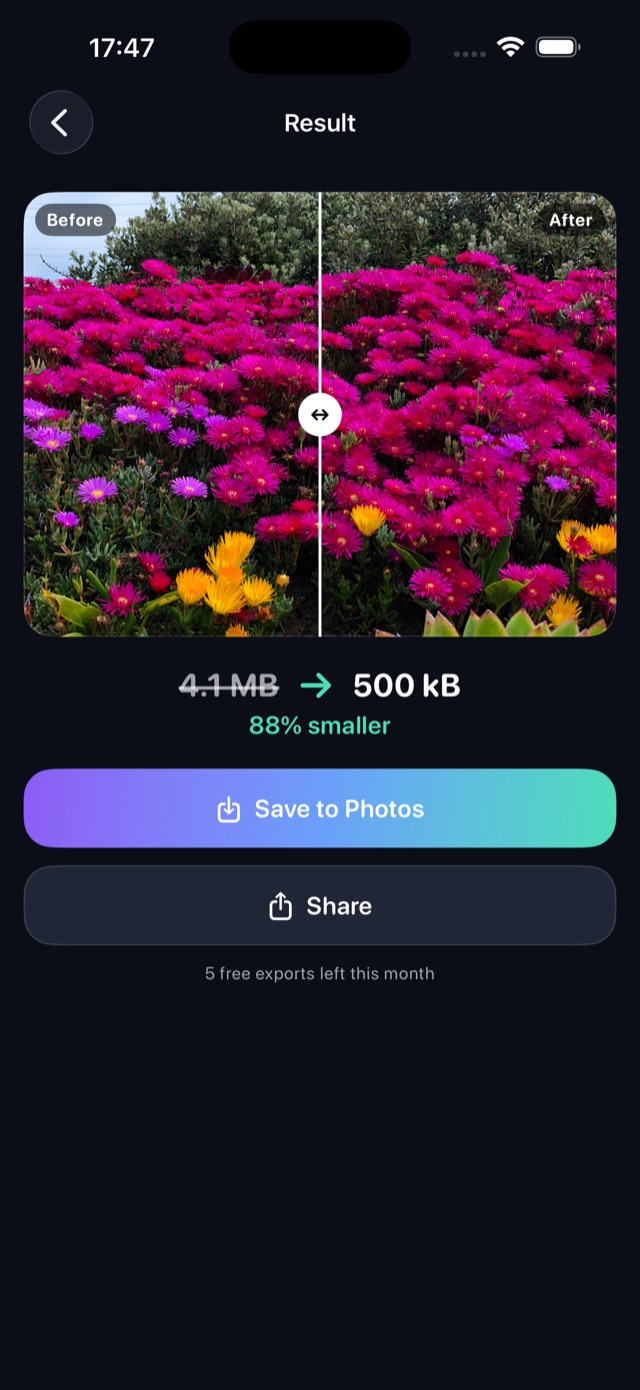
Some upload forms want under 500 KB. Chat apps want under 1 MB. Your camera makes 4 MB photos. Tell Byteless the size and it finds the best quality that still fits.
- Nothing uploaded
- No sign-up
- 14 languages
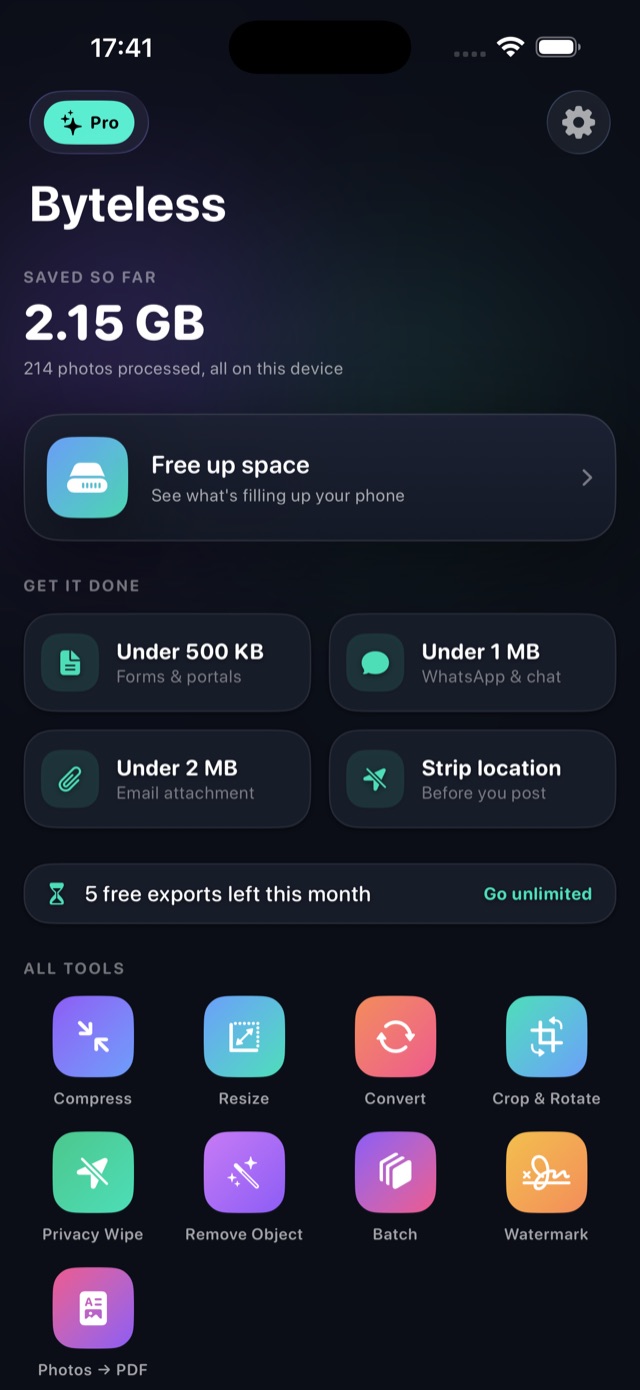
Nine tools, all free
Every tool is free to use. What Pro adds is scale, not access.
Compress
Hit an exact target size, or set the quality yourself.
Resize
Change dimensions, keeping the aspect ratio or not.
Convert
HEIC, JPEG and PNG, in any direction.
Crop & Rotate
Trim, turn, flip, and preset ratios for social.
Privacy Wipe
Strip GPS, EXIF and camera details before you share.
Remove Object
Brush over something and it is rebuilt out of the photo.
Batch
One setting applied to many photos at once.
Watermark
Text, placement and opacity of your choosing.
Photos → PDF
Several photos into a single document.
Find the gigabytes
hiding in your library
Byteless reads your photo library on the device and shows where the space actually went: oversized photos, screenshots stored as PNG, near-identical bursts.
It replaces them with smaller copies that keep their date and place, and sends the originals to Recently Deleted — never anywhere else. Nothing is deleted without you saying so.
A library refills every month. This is the part of Byteless people come back to.
Nothing leaves your phone
No account. No sign-up. No upload. No server. Every photo is processed by your own device — including the tool that strips location out of your pictures.
Free users see ads. Those are the only part of the app that talks to the internet, and they never see your photos.
Pricing
All nine tools are free, with five exports a month. Pro lifts the limits.
Free
$0
- All nine tools
- Five exports a month
- Five photos a month in storage cleanup
- One object removal a month
- Ads
Best value
Pro
$39.99/ year
- Unlimited exports
- Your whole library in storage cleanup
- Unlimited object removal
- Up to 100 photos in a batch
- No ads
Also $7.99/month or $79.99 once.
Questions
Do my photos get uploaded anywhere?
No. Every photo is processed by your own device. Byteless has no account, no sign-up and no server. Free users see ads, which are the only part of the app that talks to the internet, and they never see your photos.
Can it hit an exact file size?
Yes. Choose a target — 200 KB, 500 KB, 1 MB, 2 MB, 5 MB or your own number — and Byteless searches for the highest quality that still fits under it. If a photo is already small enough it is left untouched rather than re-encoded.
What does it cost?
All nine tools are free, with five exports a month. Pro removes the export limit, unlocks the whole storage cleanup, gives unlimited object removal and batches of up to 100 photos, and removes ads. Pro is $7.99 per month, $39.99 per year, or $79.99 once.
Which formats does it handle?
HEIC, JPEG and PNG in and out, and it can turn several photos into a single PDF.
Does it work without opening the app?
Yes. Compress, convert and remove location are available as Shortcuts actions, and through Siri and Spotlight.